Dim the UI and study the board alone
Deep analysis requires deep attention. Focus mode fades out panels and chrome so only the board remains lit, perfect for long session review, blindfold practice visualization, or teaching demonstrations.
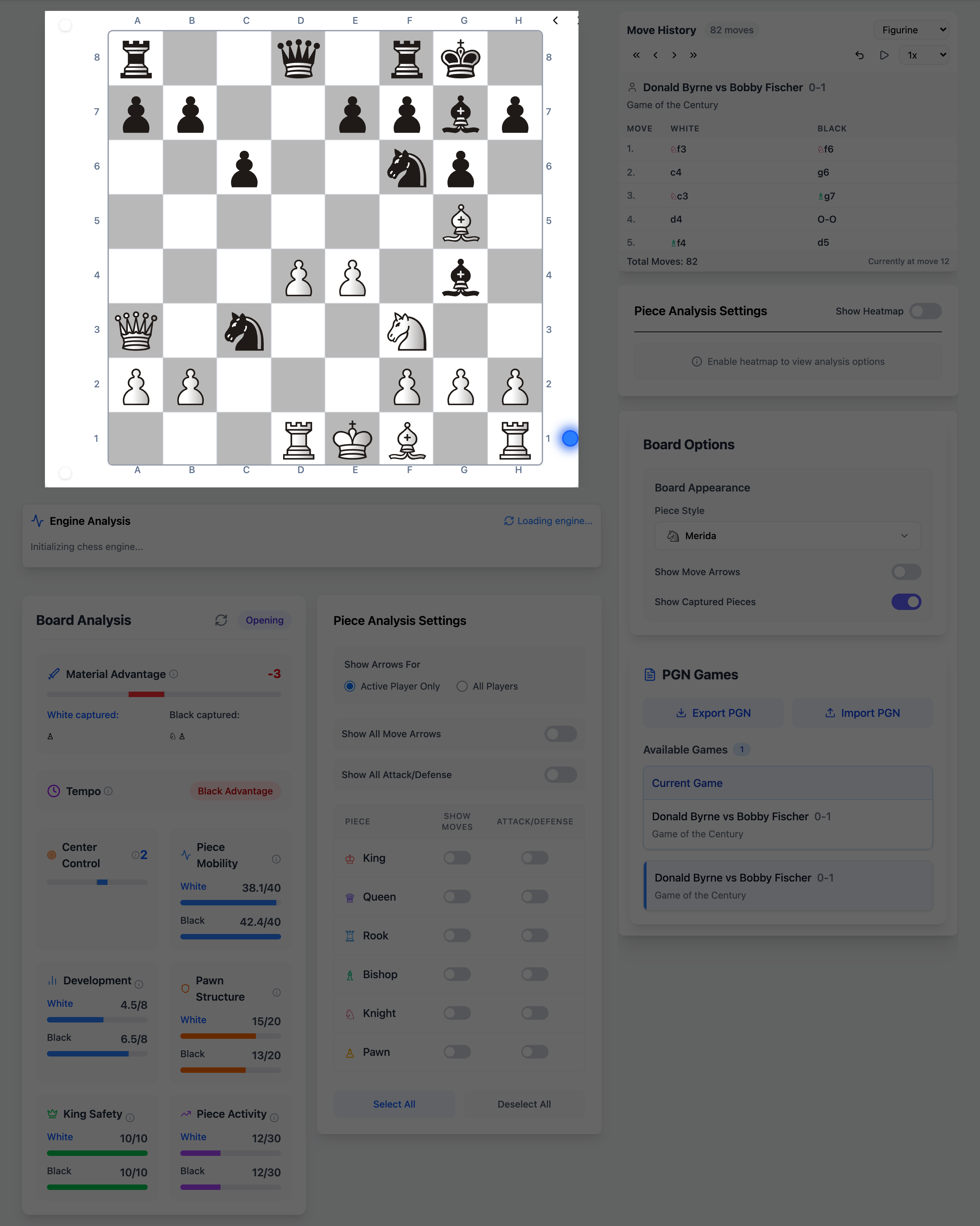
What you get
- One-click toggle from the header
- Board stays fully interactive
- Exit instantly to access engine and tools
- Works on desktop and mobile
How it works
Enable focus mode
Click the focus icon in the app header.
Study the position
Move pieces and navigate without visual clutter.
Exit when needed
Toggle off to access engine, PGN, and library panels.
Unique on Chessyi
- Full analysis toolkit one click away after focus session
- No separate “zen app”, integrated into the main workflow
Frequently asked questions
Related features
Full-strength Stockfish analysis in your browser
Run Local Stockfish engine analysis in your browser on Chessyi. Eval bar, multi-PV lines, depth control, and best-move arrows, no install, instant feedback.
Drill your openings with guided move validation
Train chess openings on Chessyi with 70+ named lines, move validation, hints, arrows, and repertoire-style practice. Build muscle memory for your opening repertoire.
Make the board yours with 10 SVG piece sets
Customize Chessyi with 18 board backgrounds, 10 real SVG piece sets (solid and lined), and app colour themes. Merida, Cburnett, Staunty, pixel, and more.
Ready to analyse like a master?
Open the board with a 7-day Pro trial. Stockfish, openings, and 1.9M games in one place.
Start 7-day free trial