Chess software for serious learners
Understand positions deeper than anywhere else
Chessyi is one-of-a-kind chess study software, twelve heatmap overlays, piece-level visualization, local Stockfish, and 1,917,619 master games on one board. Built for learners who want to see why a position works, not just what the engine says.
12+
Visualization layers
1.9M
Master games
17
Built-in tools
7-day
Pro trial
Unique to Chessyi
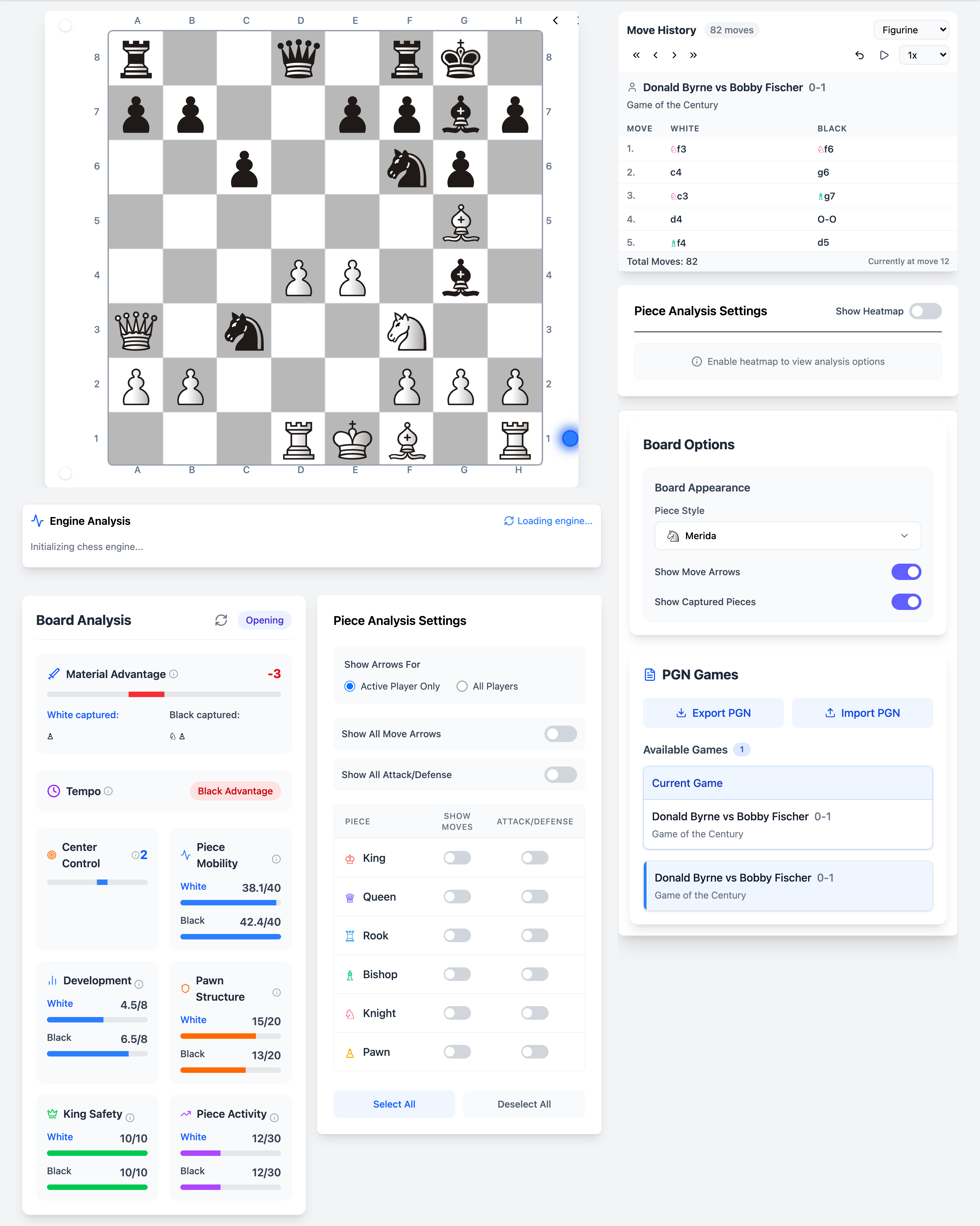
The deepest chess visualization in any browser
Chess.com shows an eval bar. Lichess shows arrows. Chessyi paints the entire position, square control, tension, mobility, king safety, and more as live colour overlays you toggle while Stockfish runs locally on the same board.
- 12+ heatmap overlay types on the live board
- Per-piece attack and defense markers
- Static position metrics without waiting for engine depth
- Combined with multi-PV Stockfish analysis
Piece-level analysis
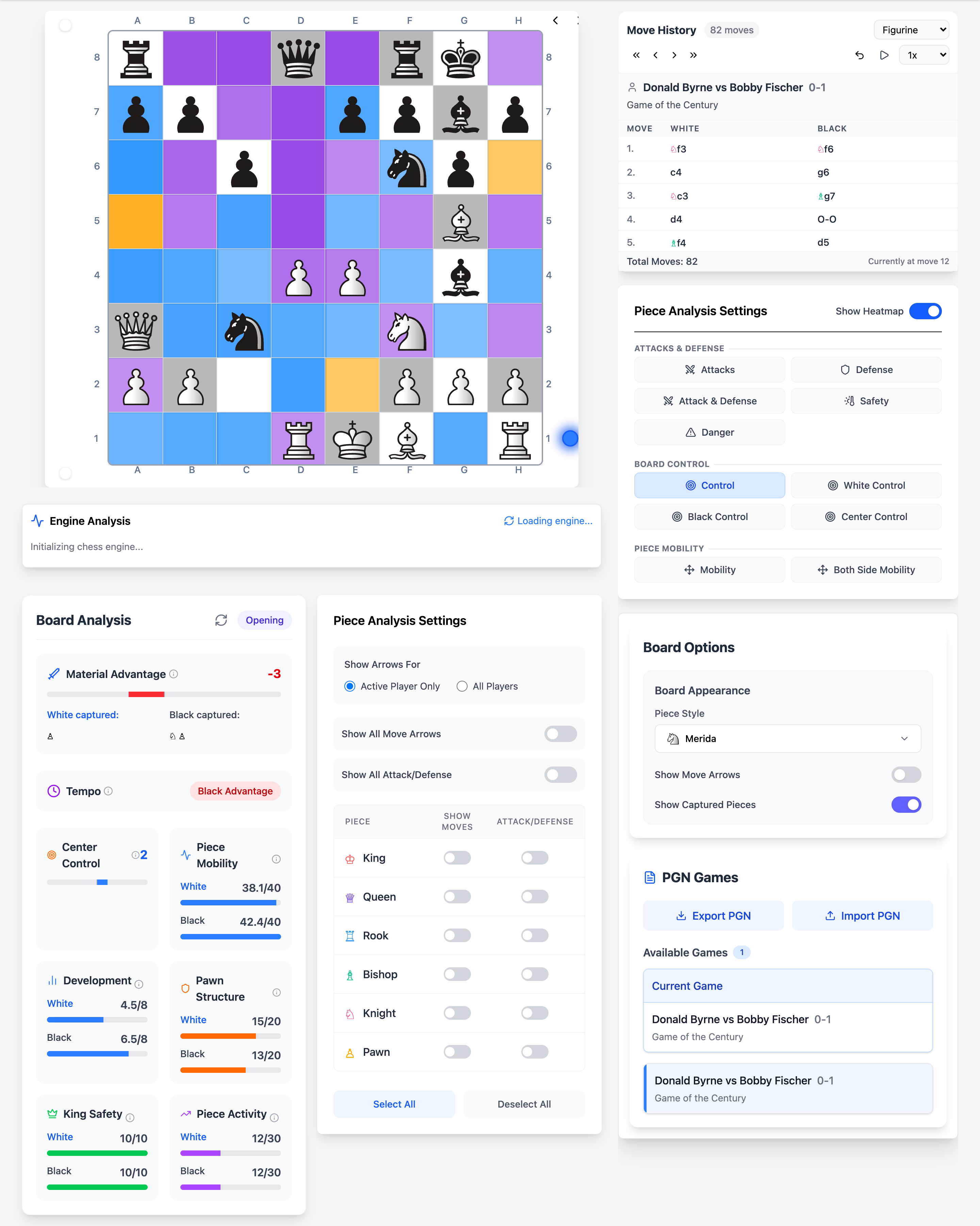
See every move. Count every defender.
Toggle movement arrows and attack/defense markers per piece type, or all at once. Understand tactical tension on the live board before the engine finishes calculating.
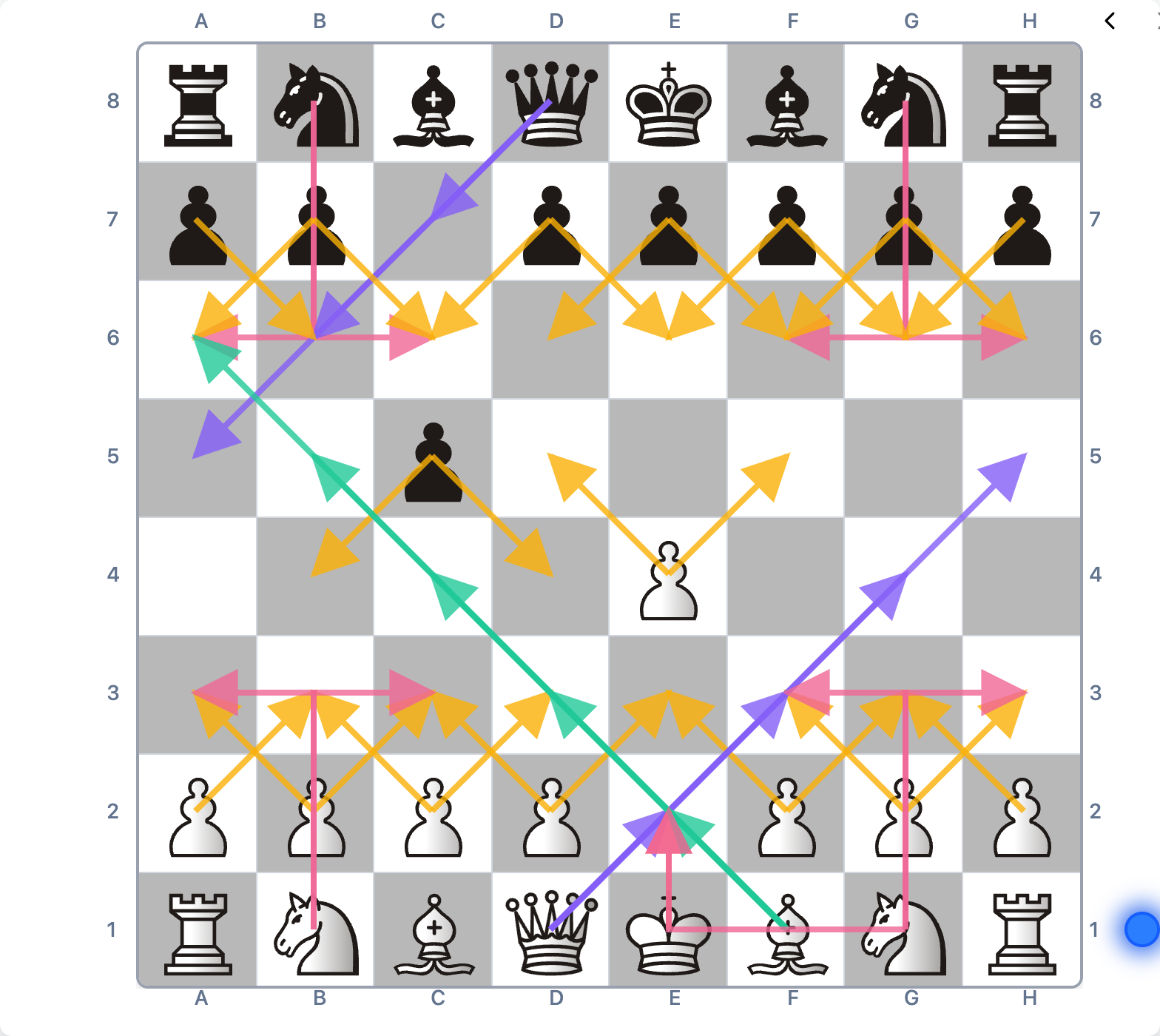
Movement arrows on
Paint every piece's attack rays across the board, knights, bishops, rooks, queens, and pawns. Spot pins, forks, and overloaded defenders at a glance.
- Toggle arrows per piece type or all pieces
- Combine with engine best-move arrow
- Works while stepping through loaded games
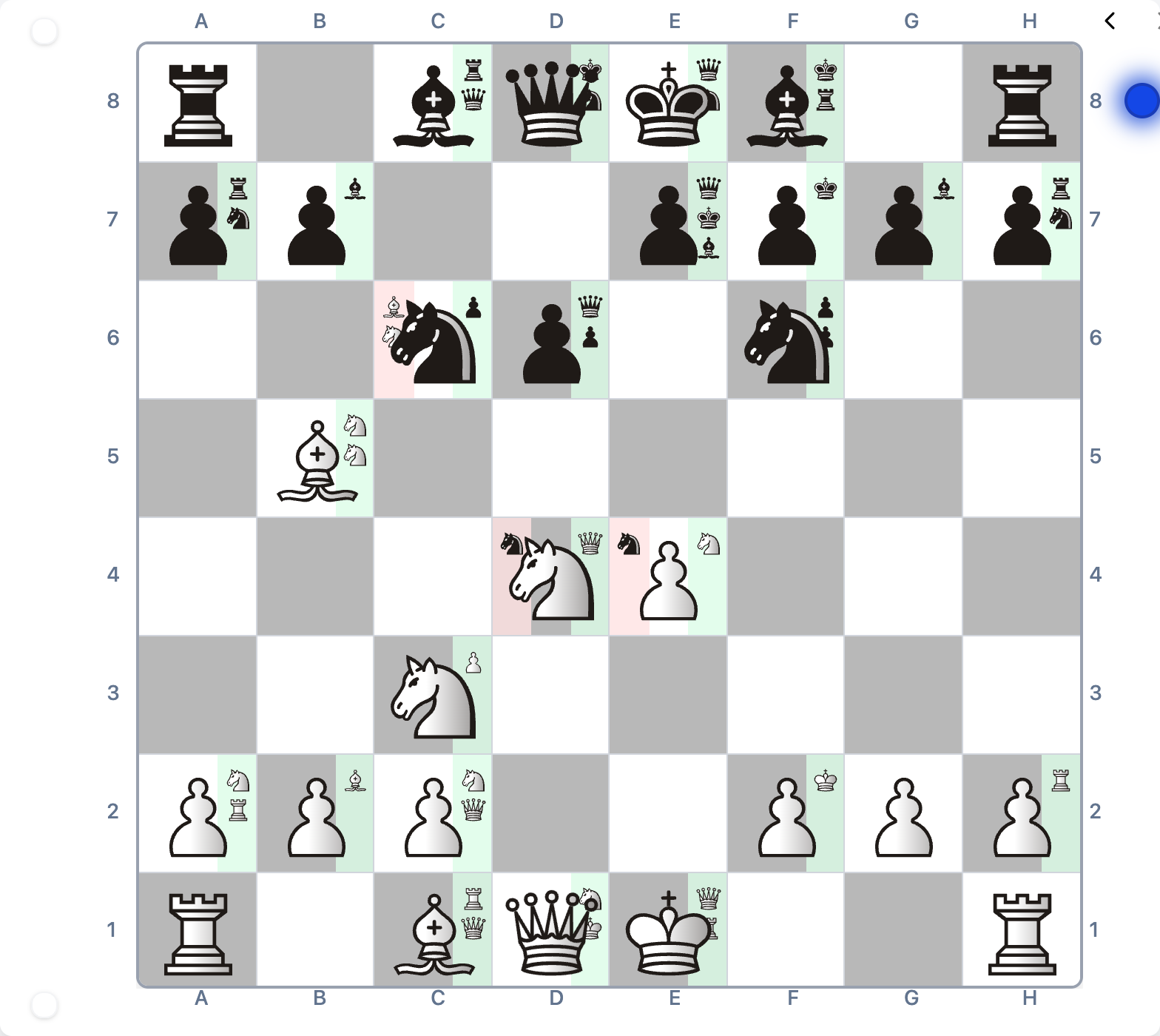
Attack & defense markers
Each piece shows how many squares it attacks and defends, with colour-coded badges you can filter by type. Perfect for teaching tactics or reviewing critical positions.
- Attack and defense counts on every piece
- Filter by king, queen, rook, bishop, knight, or pawn
- Layer on top of heatmaps and Stockfish eval
The real app, not mockups
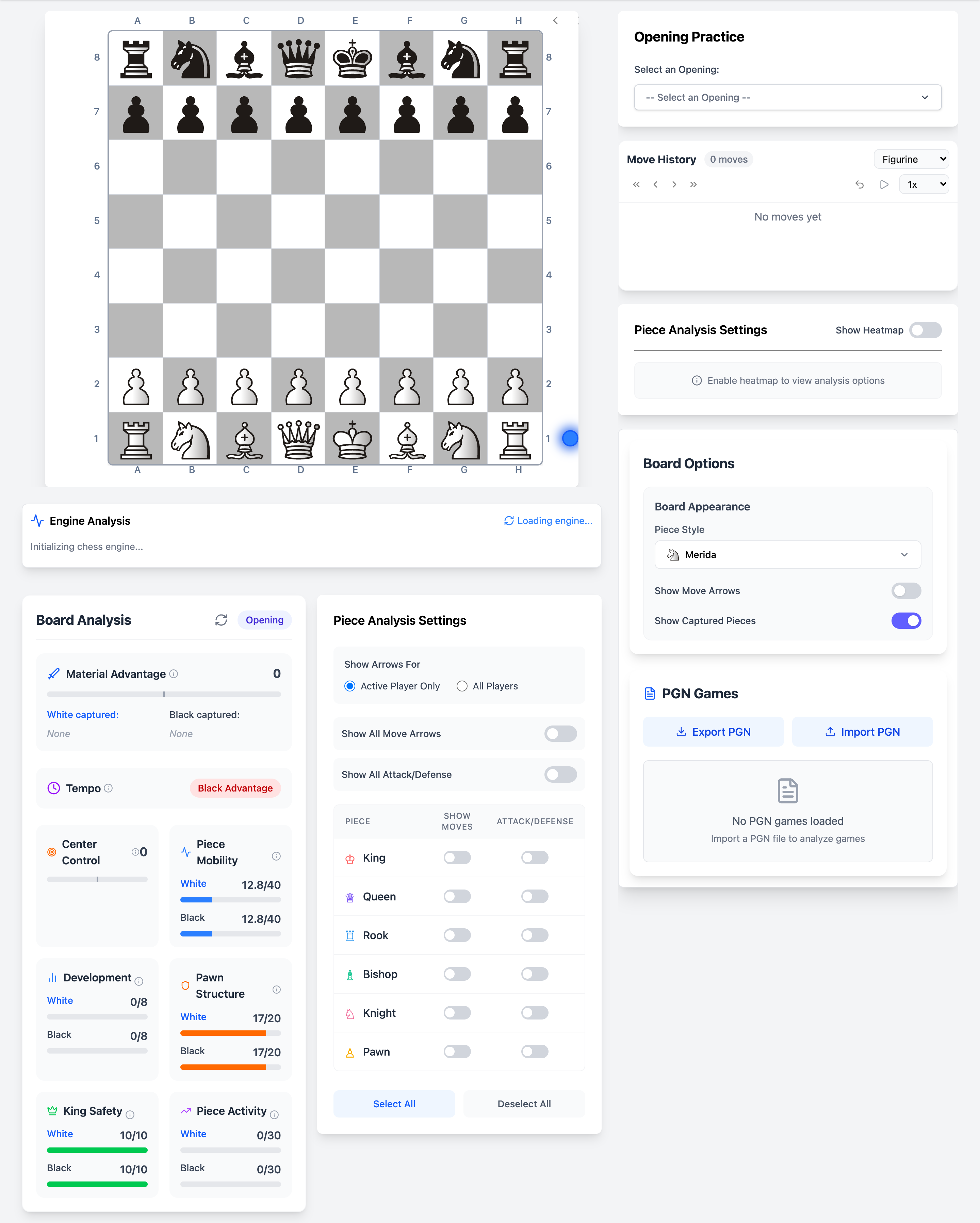
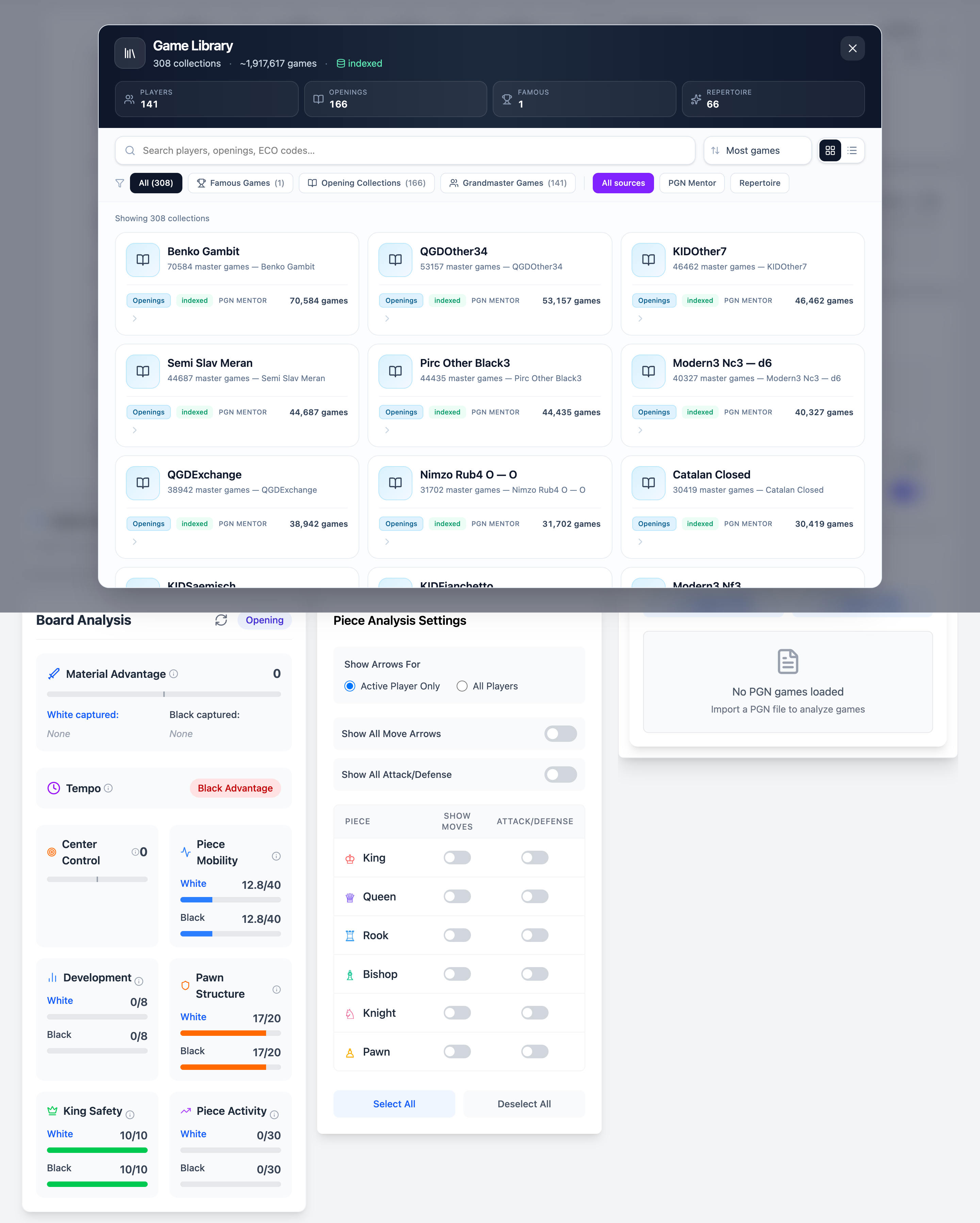
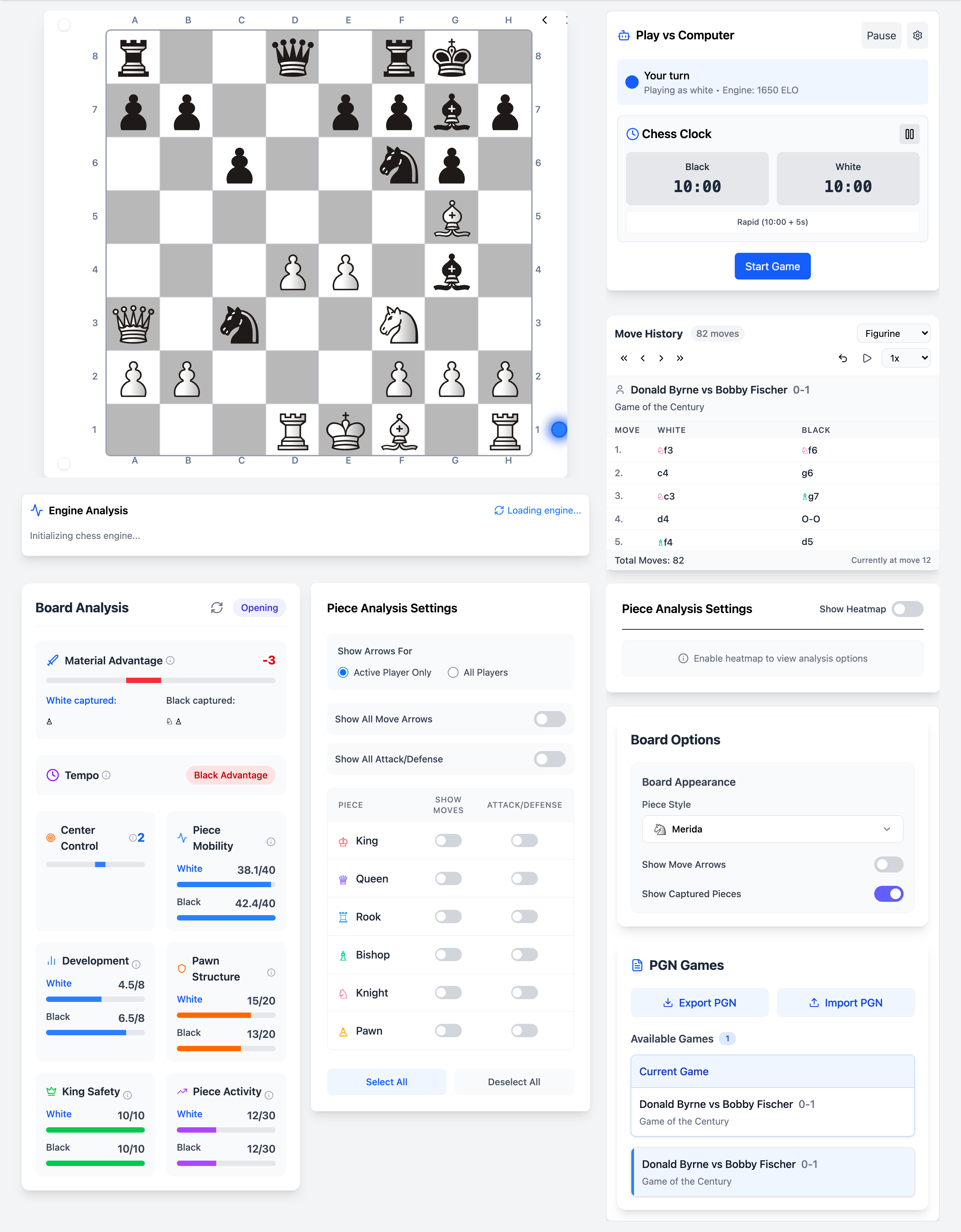
Every screenshot below is captured from the live Chessyi analysis board — opening trainer, the 1.9M-game library, and play vs computer.
One software. Three ways to improve.
Visualize positions deeply, study master games at scale, and train openings deliberately, without switching tools.
Visualize
See what the engine sees, and what it does not
Twelve heatmap overlays map control, tension, mobility, king safety, and more. Per-piece attack and defense markers show exactly how each unit shapes the position. No other browser chess tool combines this depth of visualization with a full engine on one board.
Study
1.9 million games. One searchable library.
Browse 308 collections, 141 grandmaster databases, 166 opening repertoires, famous classics, and your own PGN imports. Step through any game move by move with keyboard navigation, captured-piece tracking, and instant engine feedback.
Train
Drill openings. Spar the engine. Improve deliberately.
Practice 70+ named opening lines with move validation and hints. Play vs an adjustable computer opponent from ~1200 to 2200 ELO. Run timed two-player games with a built-in clock. Every session feeds back into the same analysis toolkit.
Complete chess study toolkit
Seventeen integrated tools on one board, from engine analysis to famous games. See all features →
Built different from Chess.com & Lichess
They are built for playing online. Chessyi is built for understanding chess deeply.
Only chess software with 12+ heatmaps on one board
Lichess and Chess.com show eval bars. Chessyi paints the position, control, tension, mobility, and king safety as colour overlays you toggle in real time.
Engine runs on your machine, not a queue
Local Stockfish executes locally in a Web Worker. No server wait, and your opening prep stays private.
Study desk + training gym in one app
Load a Carlsen game, step through with heatmaps, drill the same opening line, then spar the engine, without switching tabs or tools.
1.9M master games included
No separate database subscription. 141 GM collections, famous classics, and repertoire PGNs ship with the software.
Made for serious learners
Club players, dedicated improvers, coaches, and enthusiasts who study deliberately.
Club players (1200-1800)
Review your tournament games with Stockfish, drill openings you actually play, and spar vs computer at your level. Heatmaps help you see why positions feel uncomfortable before the engine proves it.
Dedicated improvers (1800-2200)
Deep-dive master games in your systems from the 1.9M library. Compare your lines to Carlsen, Nakamura, or historical champions. Multi-PV engine analysis and piece-level overlays accelerate pattern recognition.
Coaches and parents
Demonstrate ideas on an interactive board with visual overlays students understand. Load famous games, step through moves, and toggle heatmaps to explain control and tension without a classroom engine setup.
Plans priced under Chess.com Gold and Diamond
Try the full Pro toolkit for a week. Keep Plus at $6.99/month or $59/year, or Pro at $12.99/month or $99/year. Manage everything later from My subscription.
Trial
Try Pro for a week
Full Pro access for 7 days. No credit card. Then pick Plus or Pro.
- Everything in Pro for 7 days
- Local Stockfish with multi-PV lines
- All 12+ heatmap & piece overlays
- 1.9M game library and opening drills
- Cloud saves across devices
- No credit card required
Plus
The study desk most players keep
$4.92/mo · Save 30%
Club-level analysis, library, and training at less than Chess.com Gold.
- Local Stockfish engine (2 lines)
- All 12+ heatmap & visualization overlays
- Piece-level attack and defense markers
- 1.9M game library (308 collections)
- 70+ opening practice lines
- Play vs computer (~1200–2200 ELO)
- Cloud saves (up to 100 games)
- PGN import, export, and two-player clock
Pro
For serious prep and coaching
$8.25/mo · Save 37%
Higher engine depth of field, unlimited workspace, and coach-ready tools — still under Chess.com Diamond.
- Everything in Plus
- Stockfish multi-PV (5 lines)
- Unlimited cloud game workspace
- Repertoire-style opening prep
- Coach-friendly two-player & focus tools
- Priority email support
- Early access to new visualization layers
Engine analysis that keeps up with you
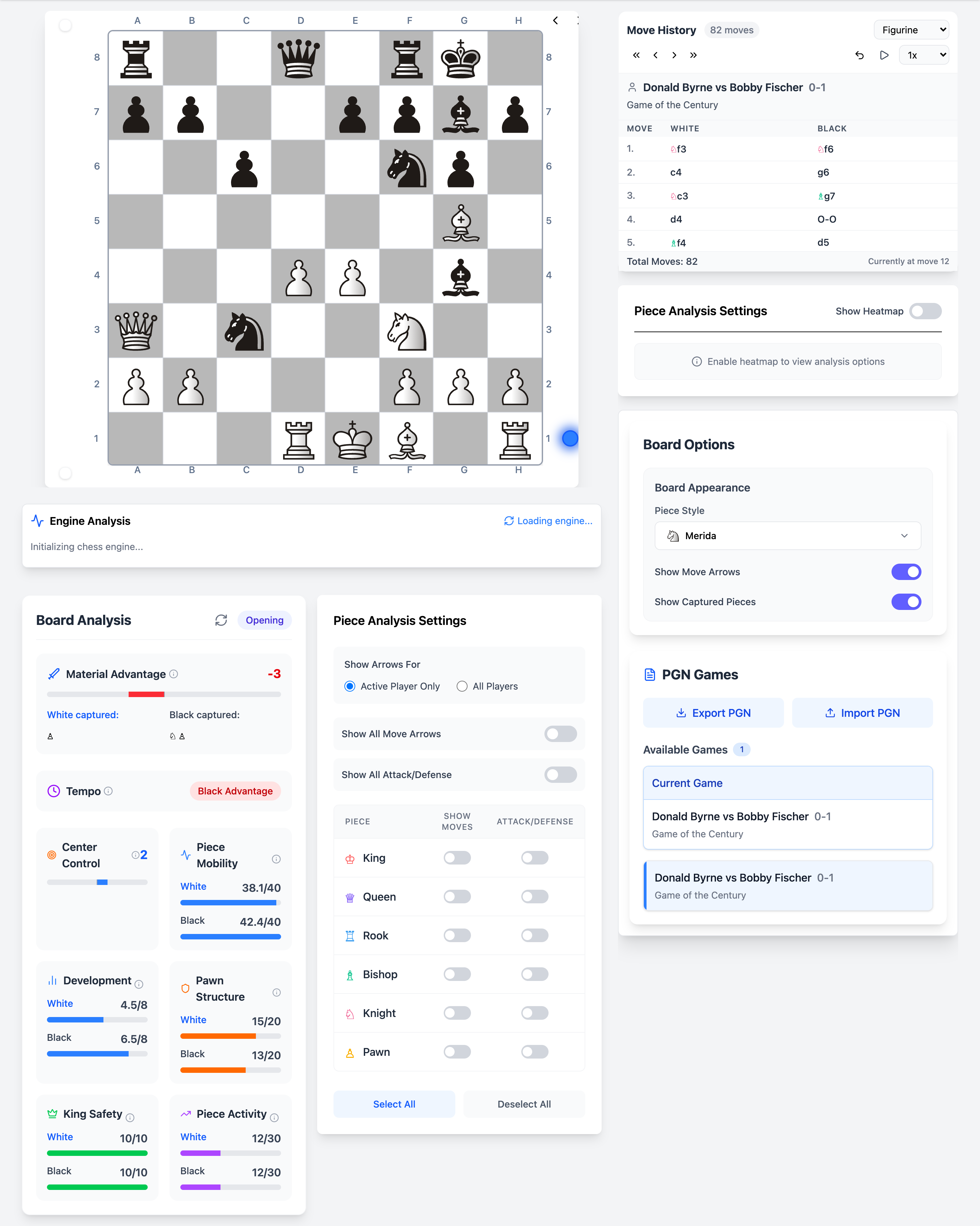
Stockfish runs in a Web Worker on your device, not a shared server queue. Step through a 40-move game with instant eval updates, multi-PV lines, and best-move arrows overlaid on the same board where heatmaps paint square control.
Stockfish feature guideStart studying like a serious player
Deep visualization. Local Stockfish. 1,917,619 master games. Opening practice. Start with a 7-day Pro trial.