Full-strength Stockfish analysis in your browser
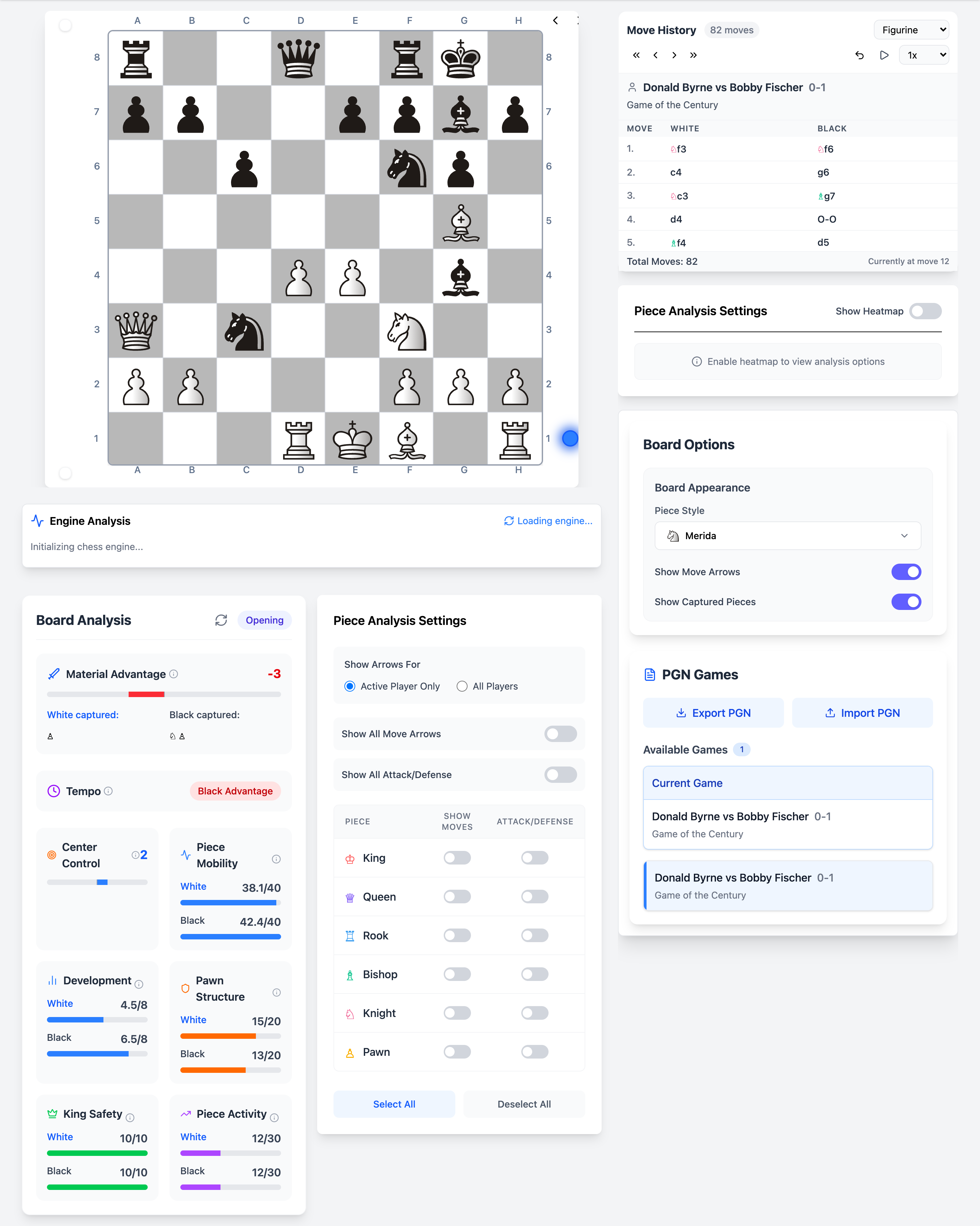
Chessyi runs Stockfish directly in your browser. Every position you reach on the board can be analysed in real time, with evaluation scores, principal variations, and depth settings at your fingertips.
Unlike server-based analyzers that queue your requests, the engine executes on your device. That means lower latency, complete privacy for your study lines, and analysis that keeps up as you step through games move by move.
What you get
- Real-time evaluation bar showing who is better and by how much
- Multi-PV mode to see the top alternative moves side by side
- Adjustable search depth for faster scans or deeper calculation
- Optional best-move arrow overlaid on the board
- Works on any position, from the starting setup to endgame studies
How it works
Set up a position
Play moves on the board, paste a FEN, or load a game from PGN.
Start the engine
Toggle analysis on. Stockfish begins searching immediately in a Web Worker.
Read the eval and lines
Watch the score update as depth increases. Click through PV moves on the notation panel.
Unique on Chessyi
- Engine runs locally, your opening prep never leaves your machine
- Combined with heatmaps and static analysis on the same board
- No account required to analyse; cloud saves optional for returning later
Frequently asked questions
Related features
Import, study, and export chess games as PGN
Paste or upload PGN files on Chessyi. Step through move history, analyse with Stockfish, export positions, and study your games on a full-featured interactive board.
See control, tension, and mobility as board heatmaps
Chessyi heatmaps overlay square control, mobility, tension, attacks, defense, and danger on the chess board. Understand positions visually, unique analysis no other free tool combines.
Attack arrows and defense markers per piece
Analyse individual piece activity on Chessyi. Toggle per-piece move arrows, attack and defense markers to see how each unit contributes to the position.
Ready to analyse like a master?
Open the board with a 7-day Pro trial. Stockfish, openings, and 1.9M games in one place.
Start 7-day free trial