Import, study, and export chess games as PGN
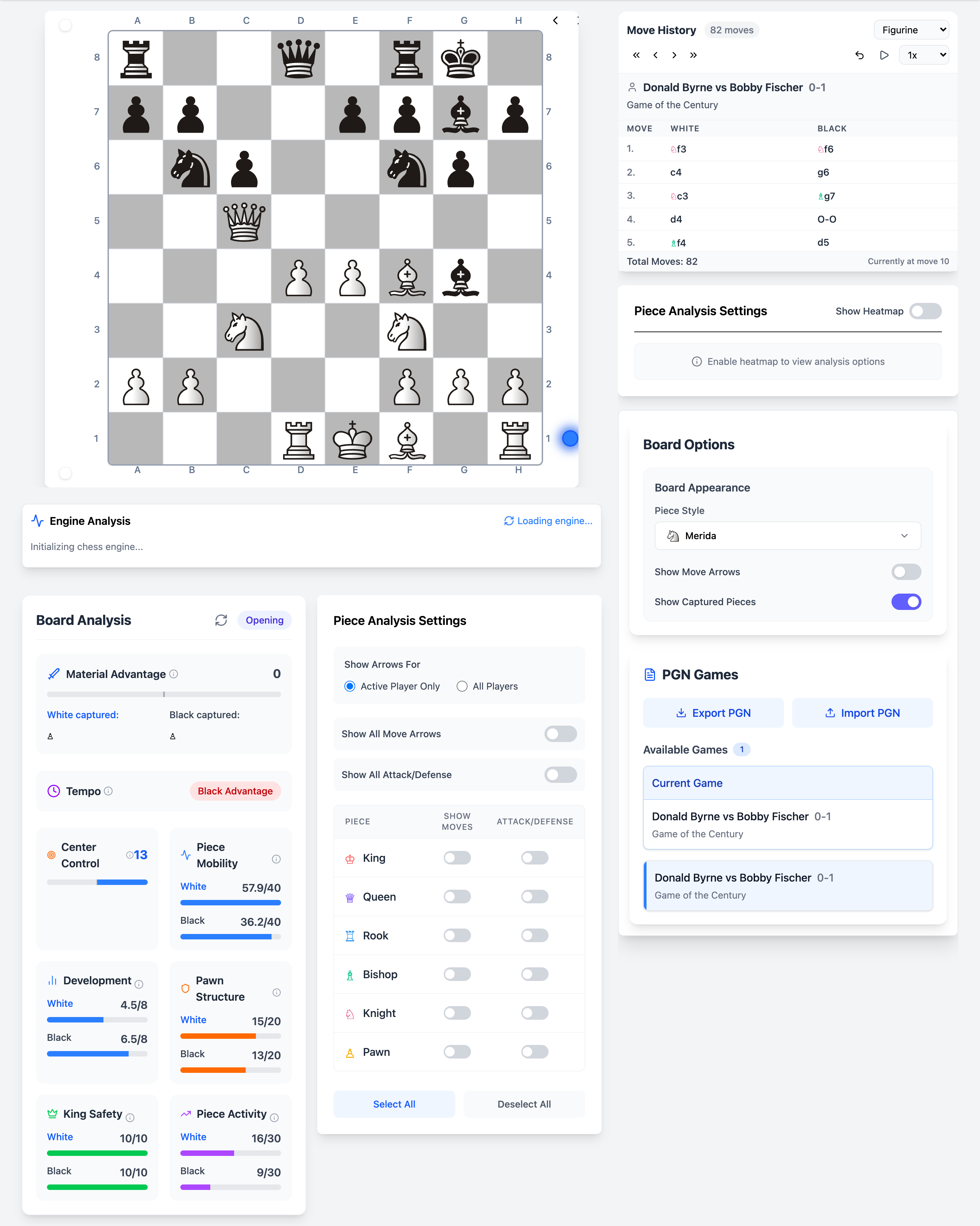
Whether you export from Lichess, Chess.com, or a tournament scanner, Chessyi accepts standard PGN. Paste text or upload a file, then navigate the full move tree with keyboard shortcuts, undo, and board flip.
Every imported game becomes a live study session: run the engine on any move, overlay heatmaps, and save the position to your cloud account for later.
What you get
- Paste PGN text or upload .pgn files
- Full move list with click-to-jump navigation
- Keyboard arrows to step forward and backward
- Export current game or position
- Metadata from PGN headers displayed when available
How it works
Import your game
Use PGN controls to paste or upload.
Navigate the moves
Click moves in the list or use arrow keys to reach critical positions.
Analyse and save
Run Stockfish, annotate mentally or save to your account.
Unique on Chessyi
- PGN study combined with 12+ heatmap types on one board
- No file size limits beyond browser memory, study long classics
- Cloud sync keeps imported games across devices when signed in
Frequently asked questions
Related features
Full-strength Stockfish analysis in your browser
Run Local Stockfish engine analysis in your browser on Chessyi. Eval bar, multi-PV lines, depth control, and best-move arrows, no install, instant feedback.
Study master games from the largest built-in library
Browse 1.9 million chess games on Chessyi: 141 GM databases, 166 opening collections, famous classics, and repertoire lines. Load any game on the interactive analysis board.
Sync your study positions across devices
Save chess games and positions to your Chessyi cloud account. Pick up analysis on any device, secure sign-in with email verification.
Ready to analyse like a master?
Open the board with a 7-day Pro trial. Stockfish, openings, and 1.9M games in one place.
Start 7-day free trial