Attack arrows and defense markers per piece
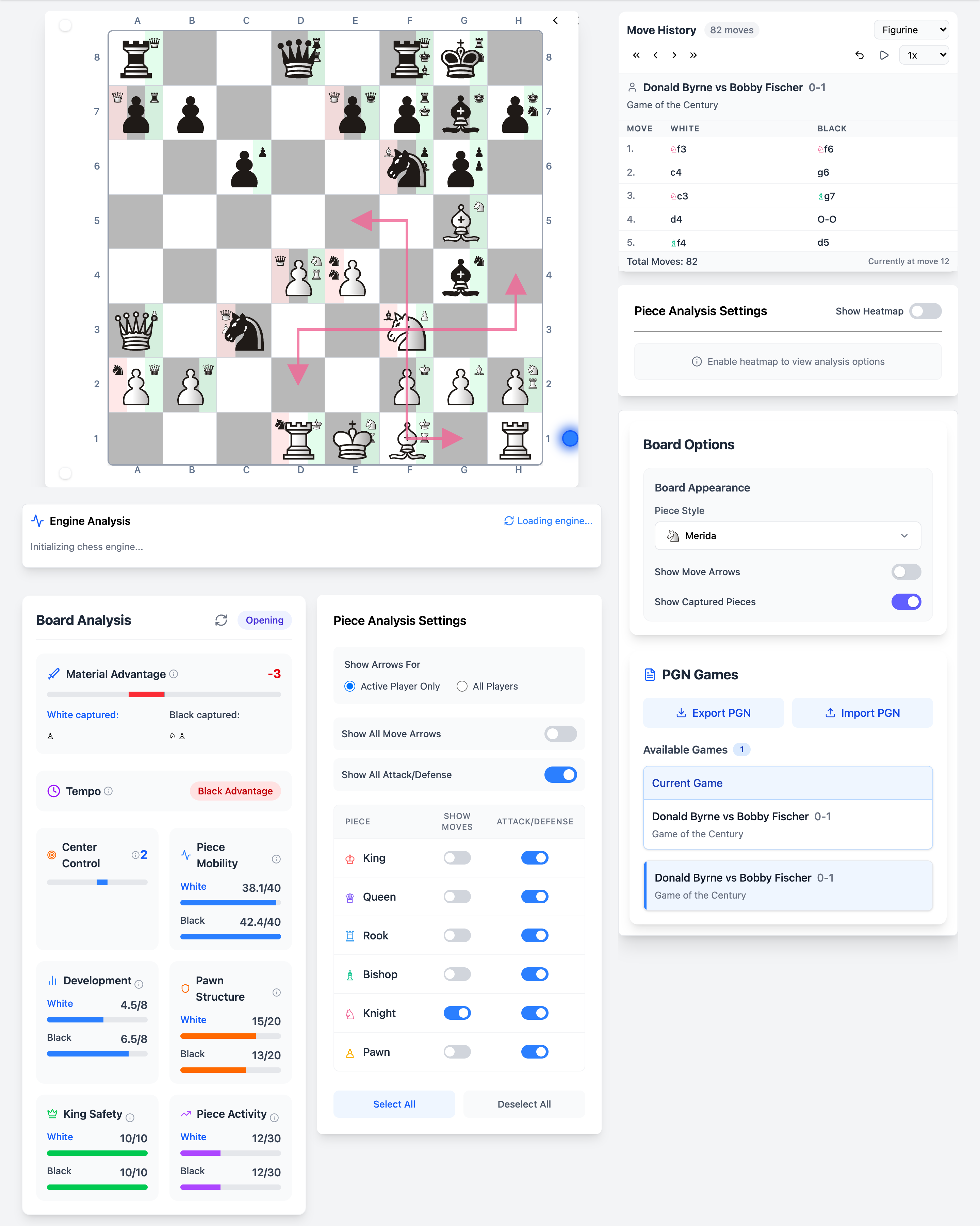
Sometimes you need to zoom in on one piece, the knight that dominates an outpost, or the bishop staring at your king. Chessyi's piece analysis panel lets you highlight individual units with move arrows and attack/defense markers.
Use it to explain tactics to students, or to verify your intuition about which piece is truly active in a cluttered middlegame.
What you get
- Per-piece selection on the board
- Move arrows showing legal and relevant squares
- Attack and defense relationship markers
- Combines with heatmaps and engine lines
- Clear visual language for teaching
How it works
Select a piece
Click a piece to focus the analysis overlay on it.
View arrows and markers
See where it moves, what it attacks, and what defends it.
Compare pieces
Switch selection to evaluate both sides' worst-placed unit.
Unique on Chessyi
- Piece-level overlays alongside full-board heatmaps
- Same interface for study, PGN review, and opening practice
Frequently asked questions
Related features
Full-strength Stockfish analysis in your browser
Run Local Stockfish engine analysis in your browser on Chessyi. Eval bar, multi-PV lines, depth control, and best-move arrows, no install, instant feedback.
See control, tension, and mobility as board heatmaps
Chessyi heatmaps overlay square control, mobility, tension, attacks, defense, and danger on the chess board. Understand positions visually, unique analysis no other free tool combines.
Material, structure, and king safety at a glance
Chessyi static analysis scores material balance, center control, mobility, pawn structure, king safety, development, and game phase, instant positional feedback without engine depth.
Ready to analyse like a master?
Open the board with a 7-day Pro trial. Stockfish, openings, and 1.9M games in one place.
Start 7-day free trial